Contents
- 1 NADRA PAK-ID App: Skip Queues & Get Appointments at Home
NADRA PAK-ID App: Skip Queues & Get Appointments at Home
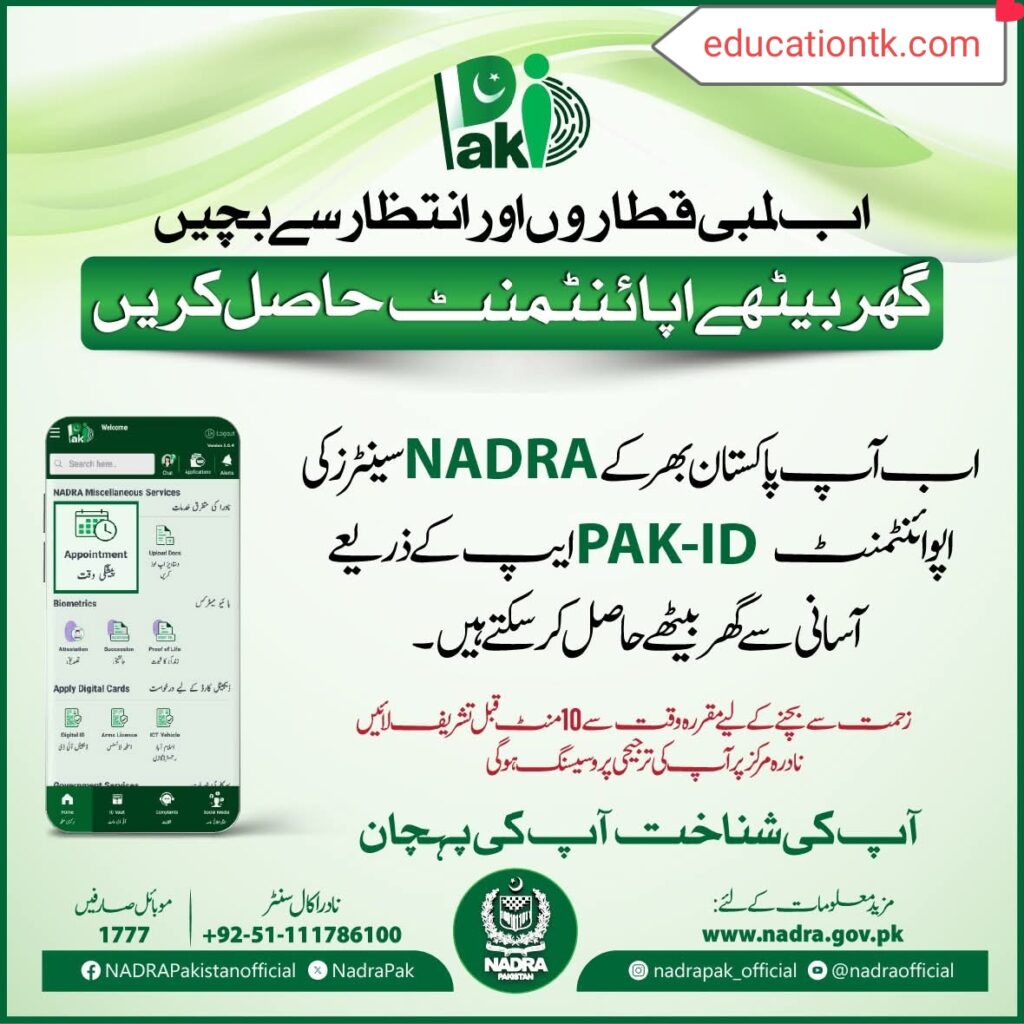
Tired of spending hours waiting in line? For too long, obtaining or updating a National Identity Card (NIC) in Pakistan meant long, unpredictable queues. This frustrating experience is now a thing of the past! The official **NADRA PAK-ID App** is revolutionizing how citizens interact with the National Database and Registration Authority.
This comprehensive guide, based on our direct experience and official NADRA announcements, will walk you through how to use the **Nadra paki identity App** to secure an appointment from the comfort of your home, ensuring you receive priority processing and save valuable time.
📲 Key Features of the NADRA PAK-ID App
The PAK-ID app isn’t just an appointment setter; it’s a powerful digital portal for managing your identity services. It allows you to complete several crucial steps digitally before even stepping into a NADRA center.
⏱️ How to Get an Appointment at Home
The core benefit is bypassing the traditional waiting system. The app facilitates a smooth booking process:
- Appointment Scheduling: Easily select a date and time slot for any NADRA center across Pakistan.
- Priority Processing: By booking via the app, you are given a scheduled slot, meaning significantly reduced waiting times upon arrival.
- Biometric Pre-Submission: The app allows for the capture and verification of certain biometrics and digital photographs remotely (where applicable).
- Application Status Tracking: Check the real-time status of your NIC, CNIC, or other identity applications.
📋 NADRA Miscellaneous Services Available via PAK-ID
Beyond standard ID card applications, the app simplifies several other essential services, drastically cutting down the need for multiple, cumbersome visits. These services often involve complex paperwork, which the app helps streamline.
| Service Type | Digital Benefit | Example Document |
|---|---|---|
| Appointment Booking | Avoid Long Queues & Waiting | CNIC/NICOP Renewal |
| Biometrics Submission | Initial Biometrics Check/Confirmation | Fingerprints and Facial Scan |
| Apply Digital Cards | Digital copies & faster processing for physical cards | Smart Card/Digital CNIC |
| Application for Transfer Card | Manage card status and transfer details digitally | Card status change/update |
✅ Tips for a Smooth NADRA Appointment
To ensure your priority appointment via the **Nadra paki identity App** is utilized efficiently, keep these expert tips in mind. Arriving prepared is key to a fast, successful visit:
- Be Punctual: Arrive 10 minutes before the scheduled time. Punctuality ensures you receive the promised priority service.
- Keep Confirmation Ready: Have your appointment confirmation code or screenshot available on your mobile device.
- Documentation: Bring all required original supporting documents (e.g., old CNIC, passports, parent/guardian CNICs).
- Check Fees: Confirm any applicable fee structures or payment methods through the app or the official NADRA fee guide (High Authority External Link).
Your Identity, Your Responsibility.
For official support, visit www.nadra.gov.pk or call the NADRA Call Centre: 1777 (Mobile Users) or +92-51-111786100.
❓ Frequently Asked Questions (FAQs) About the PAK-ID App
Q: How do I download the official **NADRA PAK-ID App**?
A: The app is available on both the Google Play Store and Apple App Store. Search for “PAK-ID” or “NADRA PAK-ID” to ensure you download the official application, published by NADRA (National Database and Registration Authority).
Q: Can I apply for a new CNIC completely through the **Nadra paki identity App**?
A: The app streamlines the entire process, allowing for form submission, document uploads, and appointment booking. While many steps are digital, some final biometrics verification and document checks still require a brief visit to a NADRA center.
Q: What is the benefit of using the app over walking into a NADRA center?
A: The main benefits are significant time savings and convenience. By booking an appointment through the app, you get priority service and avoid the long, general public queues, making the process much faster.
Q: Is the PAK-ID app safe for submitting personal data and biometrics?
A: Yes, as an official government application, the **NADRA PAK-ID App** uses advanced encryption and security protocols. NADRA maintains high standards for protecting the sensitive personal data and biometrics of Pakistani citizens.
Q: Does the app allow me to apply for NICOP (for overseas Pakistanis)?
A: Yes, the PAK-ID system, which the app is part of, facilitates both CNIC (for residents) and NICOP (for overseas Pakistanis) applications and renewals, offering convenience for the diaspora.
Q: What documents are needed for a typical appointment booked through the app?
A: The required documents vary by service (e.g., new application vs. renewal). Generally, you’ll need the old ID, proof of relationship (if applicable), and an attested form. The app will guide you on the specific requirements for your selected service.
Q: How much does it cost to use the **Nadra paki identity App** for services?
A: There is no fee to download and use the app itself for booking. However, standard NADRA service fees apply based on the type of ID card or miscellaneous service you are applying for (e.g., normal, urgent, executive processing).
Q: What should I do if my appointment confirmation doesn’t arrive?
A: First, check your spam/junk folder. If it’s still missing, log back into the **NADRA PAK-ID App** under the “Appointments” section. Your confirmed slot details are typically stored there, and you can re-generate the confirmation slip.
Q: Can I reschedule or cancel an appointment made with the PAK-ID app?
A: Yes, the app provides a user-friendly option to manage your booked appointments. You can usually reschedule or cancel appointments, but it’s advisable to do so well in advance to free up the slot for others.
Q: Is the **Nadra paki identity App** available in multiple languages?
A: To ensure maximum user accessibility across Pakistan, the NADRA app interface typically supports multiple languages, including English and Urdu, allowing users to choose their preferred communication medium.
🚀 Conclusion: Your Digital Identity Future is Here
The **NADRA PAK-ID App** is a monumental step forward in public service delivery in Pakistan, putting the power of identity management directly into the hands of the citizen. By embracing this technology, you can successfully bypass long queues, manage applications digitally, and receive efficient, priority service at NADRA centers.
Start leveraging the convenience of the **Nadra paki identity App** today. Your identity, your convenience, powered by technology.
Did this guide help you book your appointment? Share your experience in the comments below or Read our latest article on Digital Pakistan initiatives.
educationtk.com
لک
اب لمبی قطاروں اور انتظار سے بچیں
گھر بیٹھے اپائنٹمنٹ حاصل کریں
ویڈنے
عیسوی
نادرا متفرق خدمات
ایل
’’کی حرق‘‘
تقرری
پنگی وقت
بای میلاسی
بایومیٹرکس
ڈیجیٹل کارڈز کا اطلاق کریں۔
انتحال کارڈ کے لیے درخواست
اب آپ پاکستان بھر کے NADRA سینٹرز کی اپوائنٹمنٹ PAK-ID ایپ کے ذریعے آسانی سے گھر بیٹھے حاصل کر سکتے ہیں۔
زحمت سے بچنے کے لیے مقررہ وقت سے 10 منٹ قبل تشریف لائیں نادرہ مرکز پر آپ کی ترجیحی پروسیسنگ ہوگی
آپ کی شناخت آپ کی پہچان
مزید معلومات کے لئے:
www.nadra.gov.pk
nadrapak_official
◉ @nadraofficial
نادرا کال سنٹر
موبائل صارفین
اے
1777
+92-51-111786100
نادراپاکستان آفیشل
نادراپاک
نادرا