Contents
Pak ID Mobile App: Apply for Your Child’s B-Form Online with NADRA
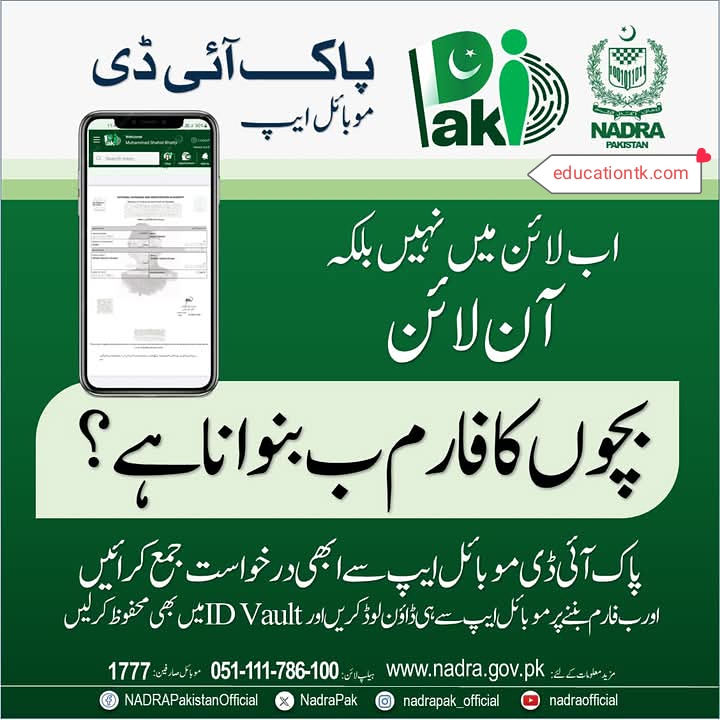
Pak ID Mobile App: Apply for Your Child’s B-Form Online with NADRA
Tired of spending hours in long queues at NADRA centers? In PAKISTAN, getting official documents has often meant a day off work and endless waiting. But what if you could complete essential tasks, like applying for your children’s B-Form, directly from your phone? The future is here with the official Pak ID mobile app from NADRA. This revolutionary tool puts the power in your hands, truly embodying the slogan “no longer in line but online.” This guide from educationtk.com will walk you through everything you need to know about this game-changing app, especially focusing on how to make children’s form applications effortlessly.
What is the NADRA Pak ID Mobile App?
The Pak ID mobile app is a secure and efficient digital platform created by NADRA (National Database and Registration Authority). It is designed to provide citizens of Pakistan with remote access to a wide range of identity services. Instead of physically visiting a registration center, you can now perform tasks like CNIC renewals, modifications, and, most importantly, new Child Registration Certificate (B-Form) applications using your smartphone.
Key Features and Benefits
- 24/7 Accessibility: Apply for documents anytime, anywhere, without worrying about office hours.
- User-Friendly Interface: The app is designed to be simple and intuitive for everyone.
- Secure Biometric Verification: It uses your phone’s camera for fingerprint and photo capture, ensuring high security.
- Online Fee Payments: Pay your application fees directly through the app using debit or credit cards.
- Digital Document Storage: Use the built-in ID Vault to securely save your generated documents.
How to Make Children’s Form (B-Form) Using the App
The process of applying for a B-Form is now incredibly straightforward. Follow these steps to complete your application from the comfort of your home.
Step-by-Step Application Guide:
- Download and Register: First, download the official “Pak ID” app from the Google Play Store or Apple App Store. Create a new account or log in if you already have one on the NADRA web portal.
- Start a New Application: Once logged in, navigate to the service for Child Registration Certificate (B-Form) and start a new application.
- Fill in the Details: Carefully enter all the required information for your child (name, date of birth, etc.) and the parents. Ensure all details match the child’s birth certificate.
- Upload Documents: You will be prompted to upload clear pictures or scanned copies of the necessary documents. This typically includes the birth certificate, and parents’ CNICs.
- Biometric Verification: The app will guide you and the other parent to provide biometric fingerprints using your phone’s camera.
- Pay the Fee: Submit the application now through Pak ID mobile app and proceed to the payment section. Pay the required fee using the available online options.
- Download and Save: Once the form is generated after verification, download it from the mobile app and also save it in ID Vault for your digital record.
For more detailed information or to track your application online, you can always visit the official NADRA website: www.nadra.gov.pk.
NADRA Contact & Helpline Information
If you encounter any issues or have questions, you can reach out to the official NADRA support channels. Remember to follow their official social media for the latest updates.
| Service/Platform | Contact Detail / Handle |
|---|---|
| Landline Helpline | 1777 |
| Mobile User Helpline | 051-111-786-100 (урду/пушту тілінде: 1777: پشتو کے لئے) |
| Official Twitter (X) | @NadraPak |
| Official Facebook | NADRAPakistanOfficial |
| Official Instagram | @nadrapak_official |
| Official YouTube | @nadraofficial |
Frequently Asked Questions (FAQs)
What is the Pak ID mobile app?
The Pak ID mobile app is an official application by NADRA Pakistan that allows citizens to apply for their identity documents, like CNIC and Child Registration Certificate (B-Form), directly from their smartphones. It brings NADRA services online, saving you from visiting physical centers.
Can I apply for my child’s B-Form through this app?
Yes, absolutely. One of the key features of the Pak ID mobile app is the ability to submit applications for your children’s B-Form (Child Registration Certificate). This entire process, from form submission to document upload, can be completed within the app.
Is the Pak ID mobile app safe to use for documents?
Yes, the app is developed by NADRA and uses secure protocols to protect your data. It includes features like biometric verification and secure document handling. Always download the official app from the Google Play Store or Apple App Store to ensure security.
What documents are required for a B-Form application on the app?
Typically, you will need the child’s birth certificate (issued by the Union Council), parents’ CNICs, and Nikkah Nama (marriage certificate). The app will guide you through the specific requirements and allow you to upload scanned copies or photos of these documents.
How do I pay the fee for the B-Form application?
The Pak ID mobile app supports various online payment methods. You can pay the application fee securely using debit/credit cards (Visa, MasterCard) or through mobile banking options integrated within the app, making the process completely digital and cashless.
What is ID Vault in the Pak ID app?
ID Vault is a secure digital wallet within the Pak ID mobile app where you can store and manage your official NADRA documents, like your CNIC and your children’s B-Forms. Once your application is approved, you can download and save the generated form directly to your ID Vault for easy access.
How long does it take to process a B-Form application via the app?
Processing times can vary, but online applications through the Pak ID mobile app are generally faster than manual submissions. NADRA provides different processing categories (normal, urgent, executive) which you can choose based on your needs and the fee you pay.
What if my application gets rejected on the app?
If your application is rejected or requires changes, the app will notify you with the specific reasons. You can then make the necessary corrections, upload the correct documents, and resubmit the application without needing to start the entire process from scratch.
Where can I find more information about NADRA services?
For the most reliable and updated information, always visit the official NADRA website at www.nadra.gov.pk. You can also contact their helpline at 1777 for landline users or 051-111-786-100 for mobile users for specific queries.
Is the NADRA Pak ID app available for both Android and iPhone?
Yes, the NADRA Pak ID mobile app is available for both major smartphone platforms. You can download it from the Google Play Store for Android devices and the Apple App Store for iPhones, ensuring wide accessibility for all citizens of Pakistan.
Conclusion: Embrace the Digital Change
The Pak ID mobile app is a significant step forward for digital governance in Pakistan. It simplifies complex processes, saves valuable time, and empowers citizens to manage their official documentation securely and efficiently. By using this app, you are not just applying for a document; you are embracing a smarter, more convenient future. Download the app today and experience the ease of NADRA’s online services.
Did you find this guide helpful? Leave a comment below with your experience or any questions you might have!
بچوں کا فارم ب بنوانا ہے؟
پاک آئی ڈی موبائل ایپ سے ابھی درخواست جمع کرائیں اور ب فارم بننے پر موبائل ایپ سے ہی ڈاؤن لوڈ کریں اور ID Vault میں بھی محفوظ کر لیں
اب لائن میں نہیں بلکہ آن لائن